
Understand features a powerful built-in plugin called Batch Generate Graphs. Once enabled, this plugin allows you to automate the creation of nearly any graph type across your entire project - regardless of the programming language - in one streamlined operation.
To find it, just open the Plugin Manager, go into Interactive Reports, and search "Batch":
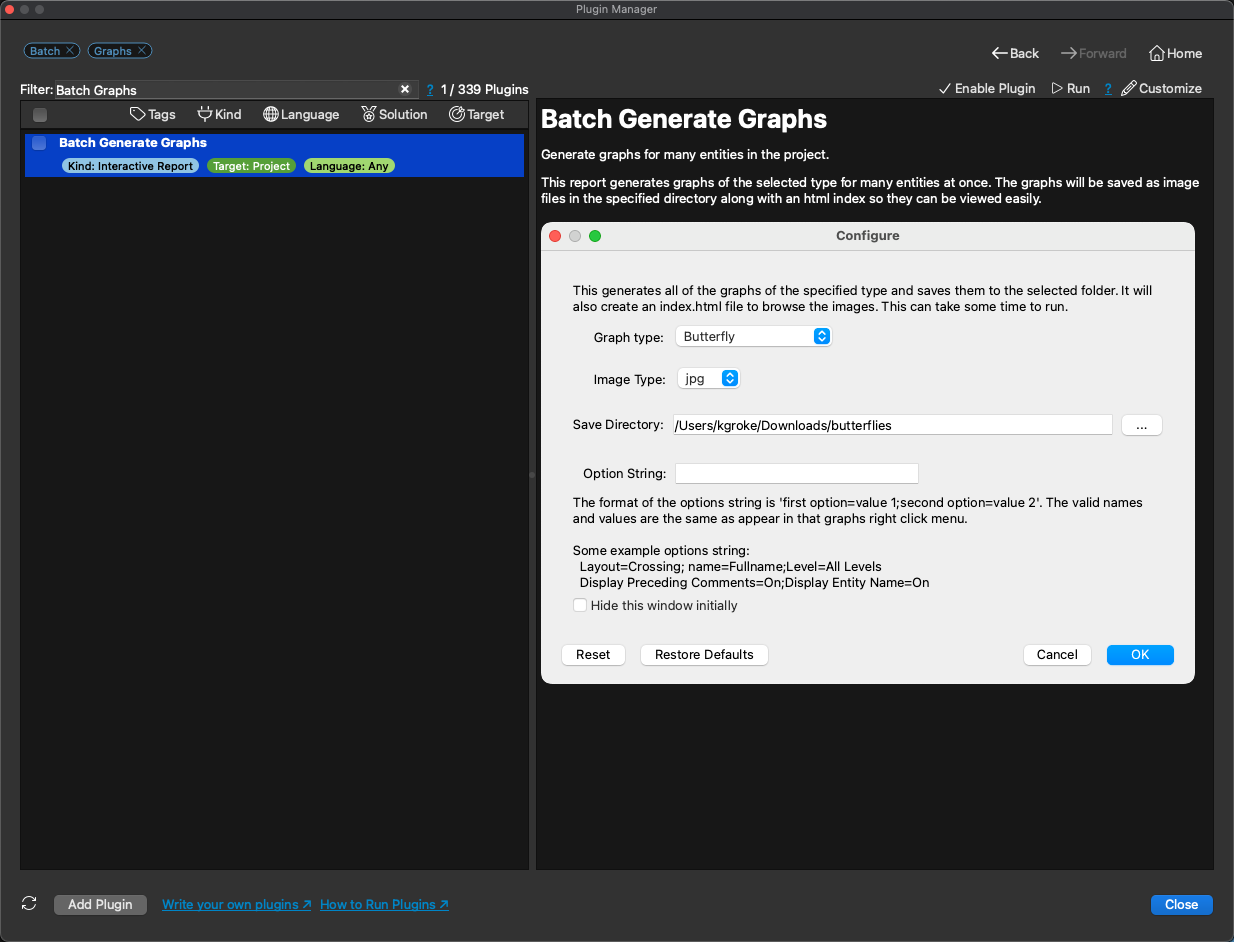
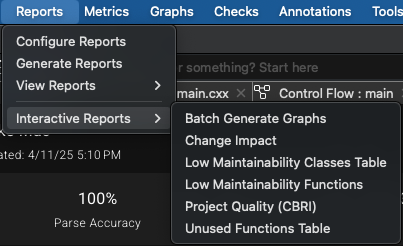
Click the checkbox to enable the plugin, then close the Plugin Manager. To run the plugin, go to Project or Reports in the top level menu, then Interactive Reports -> Batch Generate Graphs:
Here you'll first configure the graph by selecting from over a dozen graph types and four different image types, then choose a directory to save your graphs in and add any option strings to help you tweak the graph to exactly what you want:
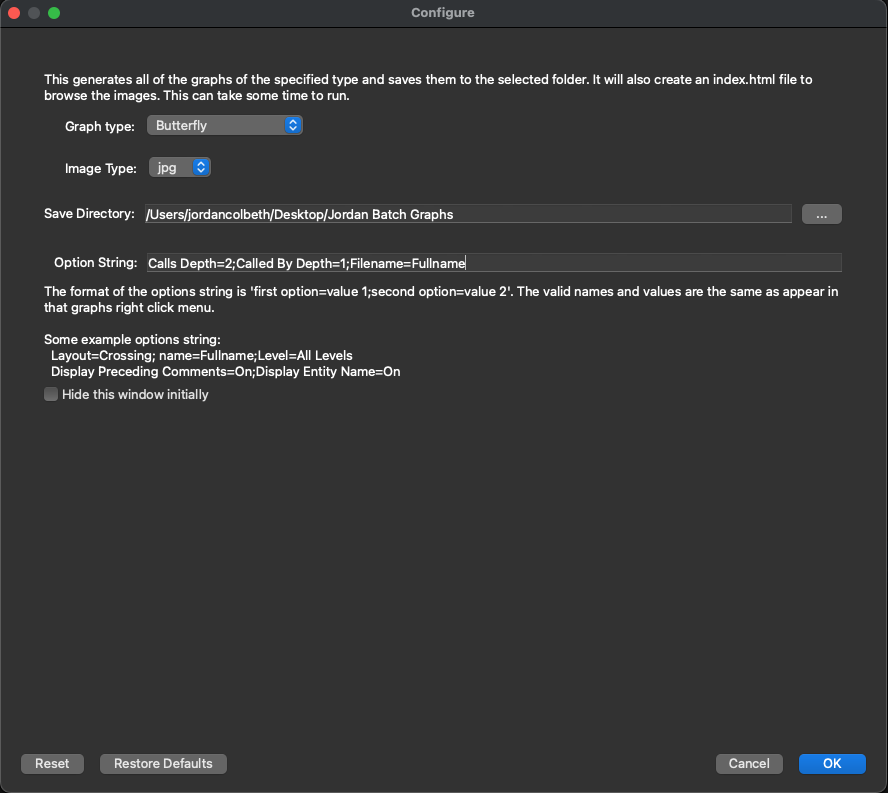
Once your graph is fully configured, simply press OK and the plugin will begin generating your graphs. Keep in mind that this may take some time, as it will be creating a graph for all applicable entities in the project.
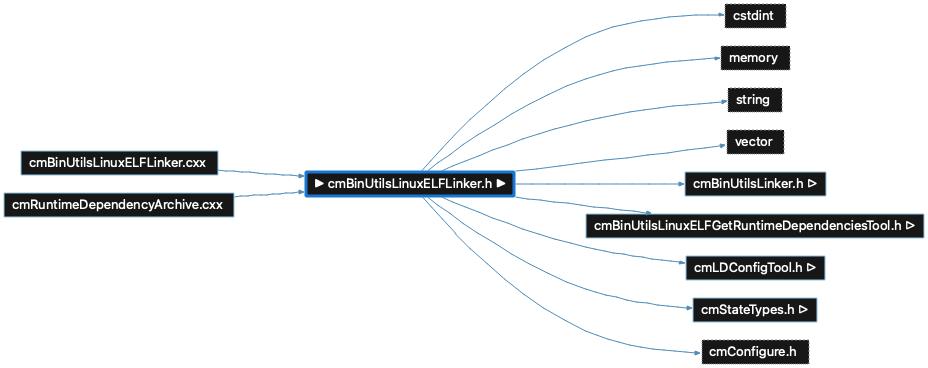
example (cmBinUtilsLinuxELFLinker.h.jpg)
Ready to see the big picture? Toggle on the plugin, run your first batch, and experience the most efficient way to document and understand your code. The tool is already there - it’s time to use it!
Note: If you're looking for some reports to go hand-in-hand with your batch graphs, Understand also contains a Batch Reports feature that allows you to generate dozens of project reports at once.